Piercings Photo Editor10.0
Publisher Description
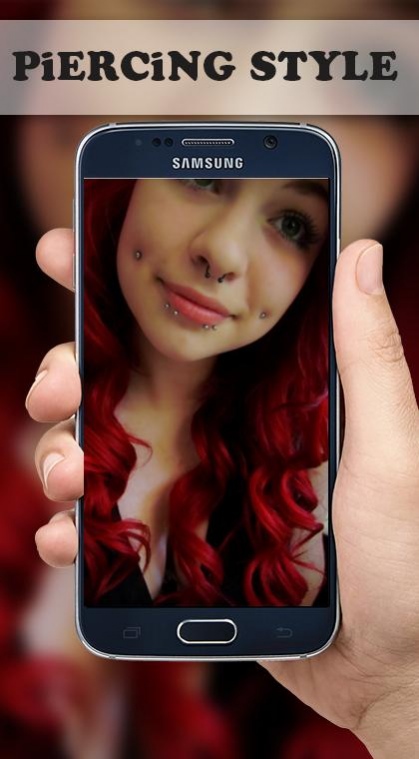
Piercings Photo Editor is a photo editor application to create a nice piercing tattoo and also looks like real. By using this application, you can find creativity that is right for your piercing camera.
The girls are in need of a nose piercing and they have chosen you to help pierce their nose and eyebrows. Amazing jewelry and makeover options are available to make your clients look pretty & hot with a lot of body jewelry
You can choose different categories to choose different piercing objects and styles :
tongue piercing
Face Rings Piercing
Ear Rings Piercing
Belly Rings Piercing
Labrets Piercing
Teat Rings Piercing
Nose Studs Piercing
Ear Piercing
features of "Piercings Photo Editor" :
*** Can select an image from the camera and gallery.
*** There is a collection of piercing body and tattoo that is easy to use.
*** piercing can be enlarged or reduced easily.
*** piercing can be rotated at will you.
*** Can be stored in the gallery smartphone.
*** Can be shared through social networks by pressing share.
*** Easy to use.
Want beautiful Body Piercing, Piercing tongue, lips or any face - and body also make prank photo to show mom but don't want to pain.
Thanks for downloading Piercings photo editor .
About Piercings Photo Editor
The company that develops Piercings Photo Editor is Lastest-Apps. The latest version released by its developer is 10.0. This app was rated by 1 users of our site and has an average rating of 2.0.
To install Piercings Photo Editor on your Android device, just click the green Continue To App button above to start the installation process. The app is listed on our website since 2017-11-07 and was downloaded 108 times. We have already checked if the download link is safe, however for your own protection we recommend that you scan the downloaded app with your antivirus. Your antivirus may detect the Piercings Photo Editor as malware as malware if the download link to com.application.piercingsphotoeditor is broken.
How to install Piercings Photo Editor on your Android device:
- Click on the Continue To App button on our website. This will redirect you to Google Play.
- Once the Piercings Photo Editor is shown in the Google Play listing of your Android device, you can start its download and installation. Tap on the Install button located below the search bar and to the right of the app icon.
- A pop-up window with the permissions required by Piercings Photo Editor will be shown. Click on Accept to continue the process.
- Piercings Photo Editor will be downloaded onto your device, displaying a progress. Once the download completes, the installation will start and you'll get a notification after the installation is finished.
Program Details
System requirements
Download information
Pricing
Version History
version 10.0
posted on 2017-11-07
version 2.0
posted on 2016-04-05
- NEW Piercings
